
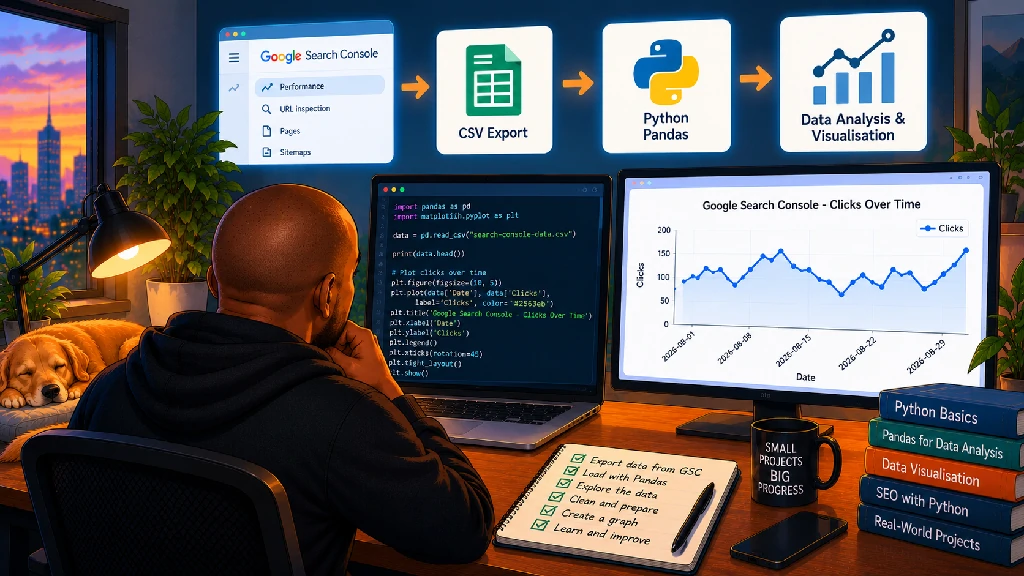
For years, I’ve looked at Google Search Console charts without giving much thought to what it actually takes to create one.
Clicks go up.
Clicks go down.
Impressions move around.
Change the date range.
Compare periods.
Export the data.
Normal SEO stuff.
Then I started learning Python.
At some point, while experimenting with Pandas and Matplotlib, I had a very simple idea:
What if I exported my Search Console data and tried to recreate one of those graphs myself?
Not because Google Search Console desperately needs me to rebuild its interface.
It doesn’t.
And definitely not because the SEO industry has been waiting for my revolutionary line chart.
This was about learning.
I’d already been experimenting with basic Python projects that are helping me learn by doing, and I wanted something that connected three things I already cared about:
SEO.
Data.
Python.
A Search Console export seemed perfect.
The project sounded ridiculously simple.
Export the data.
Open it with Python.
Plot clicks over time.
Done.
As I’m learning with Python, though, “simple” and “easy” aren’t always the same thing.
Why I Chose Search Console Data
I’m trying to learn Python through problems I already understand.
That’s been one of the biggest lessons from my learning so far.
I could download a random dataset about house prices, weather patterns or penguins.
I’m sure I’d learn something.
But Search Console data already means something to me.
I know what clicks are.
I know what impressions are.
I understand CTR.
I understand the average position.
I know why dates matter.
I know what questions I might want to ask.
That means I don’t have to learn programming and the subject matter at the same time.
I can focus on:
How do I get Python to show me something I already understand as an SEO?
That’s one of the reasons I’m learning Python as an SEO rather than learning programming completely in isolation.
I already have problems.
I already have data.
Now I’m learning another way to work with them.
Step One Was Getting the Data Out of Search Console
Nothing particularly exciting here.
I went into Google Search Console, opened the performance report and looked at the data by date.
Then I exported it.
You end up with data that looks roughly like this:
| Date | Clicks | Impressions | CTR | Position |
|---|---|---|---|---|
| 2026-08-01 | 142 | 4,821 | 2.95% | 12.4 |
| 2026-08-02 | 157 | 5,104 | 3.08% | 11.9 |
| 2026-08-03 | 149 | 4,976 | 2.99% | 12.1 |
Those numbers above are just an example, but the structure is familiar if you’ve spent time in Search Console.
Normally, I might open the export in Excel or Google Sheets.
This time I wanted to see what Python could do with it.
My First Job Was Simply Reading the File
This is where Pandas comes in.
If I have a CSV export, I can load it into Python with something like:
import pandas as pddata = pd.read_csv("search-console-data.csv")print(data.head())That’s not impressive code.
But the first time you run something like this with your own SEO data and see the first rows appear in the terminal, it feels different.
I’ve opened thousands of CSV files.
But now I had told Python to open one.
Small distinction.
Big difference when you’re learning.
pd.read_csv() reads the CSV.
data becomes a Pandas DataFrame.
data.head() shows me the first few rows.
A DataFrame is starting to make much more sense to me now because I can relate it to something familiar.
It’s basically structured tabular data I can manipulate with Python.
Suddenly Pandas isn’t just something a Python course says I should learn.
It has a job.
Then I Wanted to See What Python Thought Was Inside
One thing I’m learning quickly is that you shouldn’t assume your data looks the way you think it looks.
So I started inspecting it.
Something like:
print(data.columns)print(data.head())print(data.info())This lets me see the column names, preview the rows and get information about the dataset.
Again, basic stuff.
But useful.
Because computers are extremely literal.
Maybe I think the column is called:
Clicks
But the actual column is:
clicks
Or:
URL
versus:
Page
One capital letter can be the difference between:
Look at my beautiful graph.
and:
KeyError.
Python has been teaching me humility one error message at a time.
The Date Wasn’t Just a Date
This was one of those little things that makes programming interesting.
I can look at:
2026-08-01
and immediately understand that it’s a date.
Python doesn’t necessarily treat it that way automatically.
It might initially see it as text.
If I want to properly work with dates, I need to convert the column.
For example:
data["Date"] = pd.to_datetime(data["Date"])Now Python understands that the values in that column represent dates.
This becomes important when sorting, filtering, comparing periods or plotting time-series data.
It’s a tiny piece of code.
But it taught me something useful.
Data doesn’t only have values. It has types.
That’s obvious when someone explains it.
It becomes much more memorable when your graph doesn’t behave properly because you ignored it.
Then Came Matplotlib
This was the part I actually wanted to get to.
I’d been reading about Matplotlib as one of the standard Python libraries for data visualisation.
So I imported it:
import matplotlib.pyplot as pltThen I tried something like:
plt.plot(data["Date"], data["Clicks"])plt.title("Organic Clicks Over Time")plt.xlabel("Date")plt.ylabel("Clicks")plt.show()And there it was.
A graph.
Not a particularly beautiful graph.
Not a groundbreaking graph.
But my graph.
Created with Python.
Using SEO data.
That moment was much more satisfying than I expected.
I Know Search Console Already Has This Graph
This is probably the obvious question.
Why build something Google already gives me?
Because the graph wasn’t really the project.
Understanding how to make the graph was the project.
Search Console gives me a finished interface.
Google has already decided what I can select, how I can visualise it and how the chart behaves.
Python gives me the raw pieces.
Dates.
Clicks.
A plotting library.
And then asks:
What do you want to do with them?
That’s a completely different relationship with the data.
Then I Added Impressions
Once the first line appeared, naturally I wanted another one.
plt.plot(data["Date"], data["Clicks"], label="Clicks")plt.plot(data["Date"], data["Impressions"], label="Impressions")plt.title("Search Performance Over Time")plt.xlabel("Date")plt.ylabel("Performance")plt.legend()plt.show()Technically, that works.
But it also taught me another lesson.
Just because Python lets you put two metrics on the same graph doesn’t mean you should.
Clicks and impressions can operate at very different scales.
If a site gets 200 clicks and 20,000 impressions, putting both on the same axis can make the click line look almost flat.
That’s not a Python problem.
That’s a data visualisation decision.
And suddenly I’m not just learning code.
I’m thinking about how data should be communicated.
Making a Graph Isn’t the Same as Making a Useful Graph
This feels very similar to SEO reporting.
I’ve created enough reports over the years to know that adding more charts doesn’t automatically create more insight.
A graph should answer something.
Are clicks growing?
Did performance change after a particular date?
Is there a seasonal pattern?
Are impressions increasing without clicks following?
Did a major change happen after a website migration?
Did performance shift around a Google update?
Which landing pages are responsible?
A graph without a question is a decoration.
Python can draw the line.
I still need to know why I’m looking at it.
That distinction is becoming a recurring theme in how I think about automation.
I Started Thinking About Comparing Periods
Once you have one period plotted, the next obvious question is:
What about the previous period?
Now things get more interesting.
Maybe I want:
August 2026 versus July 2026.
Or:
The last 28 days versus the previous 28 days.
Or:
Year over year.
Now I need to think about dates.
Filtering.
Grouping.
Matching periods.
Maybe calculating percentage change.
And this is exactly why I like small projects.
I started with:
Make a line appear.
That naturally created the next question:
How do I compare two lines?
The project starts teaching me what I need to learn next.
That’s Better Than Memorising Pandas Functions
I could sit down and try to memorise:
read_csv()
groupby()
merge()
sort_values()
to_datetime()
fillna()
and dozens of other Pandas functions.
I would probably forget half of them.
But if I’m trying to answer:
Which pages lost the most clicks this month?
then suddenly sort_values() has a purpose.
If I want:
Which queries appear in both datasets?
now I have a reason to learn merge().
If I want:
Show me weekly clicks instead of daily clicks.
now grouping and resampling become relevant.
That’s how I want to learn.
Problem first. Function second.
Search Console Data Gets More Interesting When You Move Beyond the Overview
The daily click graph is only the beginning.
Search Console gives me much more than dates.
Queries.
Pages.
Countries.
Devices.
Search appearance.
And combinations of those dimensions can answer much more interesting questions.
Maybe I want to visualise:
Clicks by landing page.
Impressions by device.
Performance by country.
CTR by position range.
Branded versus non-branded searches.
Growth by page.
Declines by query.
Suddenly Matplotlib isn’t just helping me recreate a Search Console chart.
It’s giving me another way to explore Search Console data.
This Is Where Pandas Starts Becoming Really Interesting to Me
I’ve written before about whether Python can make me a better SEO.
Data analysis is one of the biggest reasons I think the answer might eventually be yes.
SEO creates enormous amounts of data.
Search Console alone can become difficult to work with when you’re dealing with larger sites.
Then add:
GA4.
Crawl data.
Keyword rankings.
Backlinks.
Google Business Profile data.
Local rankings.
PageSpeed.
Competitor data.
Now I have information living everywhere.
I’m becoming less interested in learning Python just so I can say:
I know Python.
I’m interested in being able to take those datasets and ask my own questions.
Eventually I Want to Combine Search Console With Crawl Data
This is where the project starts becoming much more useful.
Imagine I have a crawl containing:
URL.
Status code.
Title.
Meta description.
H1.
Canonical.
Indexability.
Internal links.
Then I have Search Console data containing:
URL.
Clicks.
Impressions.
CTR.
Position.
If I combine them, I can start asking questions that both datasets answer better together.
Which high-impression pages have weak titles?
Which important organic landing pages have very few internal links?
Which pages that receive organic traffic redirect?
Which pages with declining clicks were recently changed?
Which indexable pages have no search visibility?
Which pages ranking on page two have clear on-page opportunities?
Now we’re getting somewhere.
I’ve already started experimenting with this kind of thinking through my first Python SEO automation.
I don’t want Python to replace Screaming Frog or Search Console.
I want it to help me connect them.
The Opportunity Might Be Between the SEO Tools
This keeps coming back to me.
We already have excellent SEO tools.
I don’t need to recreate them.
What interests me is the space between them.
Search Console tells me something.
Screaming Frog tells me something else.
GA4 has another part of the story.
A keyword platform has another.
A local SEO tool has another.
The annoying part is often:
Export.
Clean.
Match.
Merge.
Compare.
Filter.
Analyse.
Repeat next month.
That’s why some of the SEO tasks I want to automate with Python aren’t about replacing SEO software.
They’re about connecting the work around it.
My First Graph Also Changed How I Look at SEO Dashboards
This is another unexpected side effect.
When you’ve only consumed dashboards, it’s easy to treat charts as things that simply exist.
Learning to build one makes you think about the decisions underneath it.
What metric are we showing?
What period?
What’s on the x-axis?
What’s on the y-axis?
Should these two metrics share an axis?
Should this be daily, weekly or monthly?
Are we showing totals or averages?
Could the scale make the change look more dramatic than it actually is?
What happens when data is missing?
Should we show percentage change?
What’s the question this chart is answering?
Those aren’t really Python questions.
They’re reporting questions.
And that’s useful for me because I’ve already been thinking about how to report SEO success when AI is changing the SERP.
Better visualisation doesn’t automatically mean better reporting.
You still need to understand what you’re trying to communicate.
I Can See How This Could Eventually Become a Dashboard
Naturally, my brain is already several projects ahead of my actual Python ability.
Today:
A Matplotlib line graph.
Tomorrow:
Maybe Plotly.
Then perhaps Streamlit.
Eventually, I’m in favour of building a simple SEO dashboard where I could upload Search Console data and automatically see:
Performance trends.
Biggest winners.
Biggest losers.
CTR opportunities.
Query changes.
Landing-page changes.
Maybe location performance.
Maybe period comparisons.
Maybe graphs generated automatically.
Not because Looker Studio suddenly stopped existing.
Again, that’s not the point.
The interesting part would be building something around the questions I specifically care about.
That’s what coding gives you.
You don’t have to wait for a software company to add the button.
AI Is Helping Me Learn This Much Faster
I can’t talk about learning Python in 2026 without talking about AI.
When something doesn’t work, I can paste the error into ChatGPT and ask:
What does this mean?
I can ask:
Why does Python think this date is text?
Or:
Explain this Pandas function without rewriting my whole script.
Or:
Why does my graph look wrong?
That’s incredibly useful.
But I’m trying to be disciplined about it.
I don’t want to say:
“Here’s my CSV. Build me a complete SEO dashboard.”
and then copy whatever comes back.
That would give me a dashboard.
It wouldn’t necessarily teach me Python.
I’ve already written about how generative AI is changing the way I approach SEO, and learning code is another example.
AI is most useful to me when it reduces the friction of learning.
Not when it removes the learning altogether.
Sometimes I Ask AI to Explain One Line
This has been particularly helpful.
Take:
data["Date"] = pd.to_datetime(data["Date"])Instead of just accepting that it works, I can ask:
What is data["Date"] doing?
What does pd.to_datetime() return?
Why do I need to assign it back to the column?
What happens if some dates are invalid?
Those questions make the code stick.
I’m slowly building a mental model instead of collecting snippets I don’t understand.
That’s important to me.
Because if the code breaks six months from now, I want at least some chance of figuring out why.
My First Graph Wasn’t Particularly Good
I think that’s worth admitting.
The labels could’ve been better.
The dates weren’t particularly pretty.
I experimented with things that made the chart worse.
At one point I had information competing for space in ways that weren’t useful.
That’s fine.
The goal wasn’t:
Create a production-ready SEO reporting system on day one.
The goal was:
Get Search Console data into Python and turn it into something visual.
I did that.
Then I understood slightly more than I did before.
That’s a win.
This Is Why Projects Are Working Better for Me Than Tutorials Alone
Tutorials still matter.
I need people to explain concepts.
I need documentation.
I need examples.
But I find the concepts stick much better once I need them.
When I wrote about learning Python when you don’t want to become a software developer, this was basically the learning model I had in mind.
I don’t need to know every corner of Python.
I need enough fundamentals to start solving problems.
Then the problems tell me what I need to learn next.
My first graph needed Pandas.
It needed Matplotlib.
It needed date handling.
The next version might require grouping.
Then merging.
Then calculations.
Then Plotly.
Then maybe Streamlit.
Each project pulls me forward.
The Graph Isn’t Really the Achievement
That’s probably my biggest takeaway.
If you looked at the finished graph, you wouldn’t be impressed.
You’ve seen a line chart before.
I’ve seen thousands.
Google Search Console creates a better one every time I log in.
But the difference is that this time I understood more about how the data became the visual.
I loaded the file.
Inspected the columns.
Converted the dates.
Selected the metric.
Passed the values to Matplotlib.
Added labels.
Displayed the chart.
That’s a tiny bit more control over technology than I had before.
And that’s really why I’m learning Python.
I Want to Move From Using Data to Working With Data
I’ve used SEO data throughout my career.
Search Console.
Google Analytics.
Crawlers.
Rank trackers.
Keyword tools.
Local SEO platforms.
Spreadsheets.
Dashboards.
But most of the time, I’ve worked inside interfaces somebody else created.
They decide which buttons exist.
Which reports exist?
Which filters exist?
Which exports exist?
Learning Python gives me the possibility of asking:
What if the question I want to answer doesn’t have a button?
That’s exciting.
I’m still nowhere near being a data analyst.
I’m still learning basic Python.
I’m still Googling things.
I’m still asking AI why my code broke.
I’m still getting errors that turn out to be caused by something embarrassingly small.
But I’m beginning to see where this could go.
And that’s enough motivation to keep learning.
From One Line Graph to Something Bigger
My first Search Console graph isn’t going to transform how I do SEO.
But it represents something bigger for me.
A few months ago, I might have looked at a dataset and thought:
Which tool should I upload this to?
Now there’s another thought starting to appear:
What could I do with this in Python?
That’s the change I’m interested in.
Not becoming a software developer.
Not rebuilding every SEO tool I already use.
Not writing complicated code simply because I can.
Just becoming more capable.
One dataset.
One script.
One graph.
One slightly confusing error message at a time.
And eventually, I want to reach the point where I can take a messy SEO dataset, ask a question that matters, and build my own way of finding the answer.
For now, though?
I made a line move across a graph using Search Console data and Python.
I’m counting it.
