
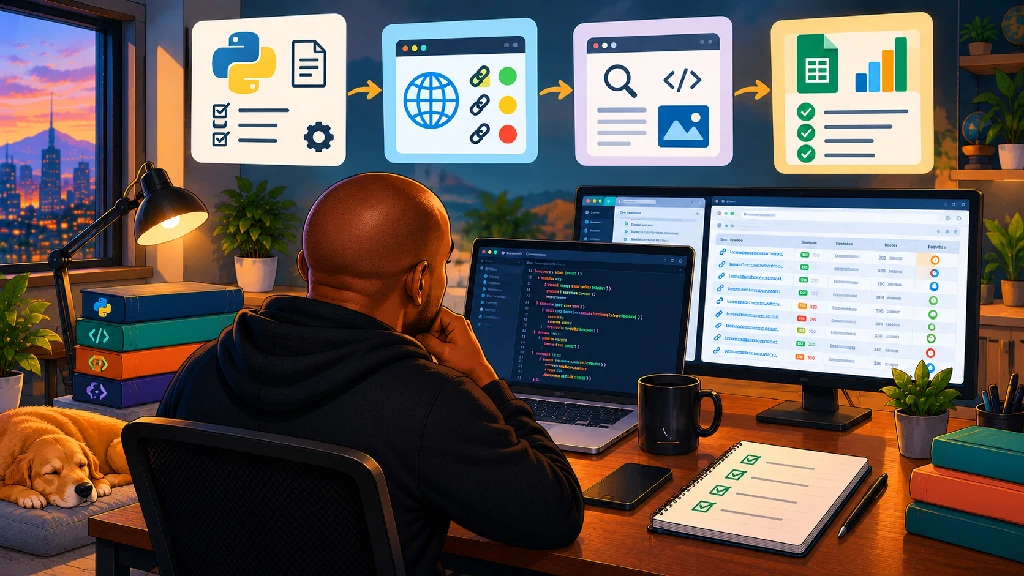
When I first started learning Python, I did what most beginners probably do.
Variables.
Strings.
Lists.
Loops.
Functions.
If statements.
A few exercises.
Then another tutorial.
Then another video.
Everything made sense while I was following along.
Then I’d close the tutorial, open a blank Python file and think:
Okay… now what?
That’s when I started to realise there are two very different ways to learn Python.
There’s understanding Python while someone else is showing you what to do.
And then there’s actually trying to build something yourself.
The second one is considerably more uncomfortable.
It’s also where I feel like I’m learning the most.
I’m still very much a beginner. I’m not trying to build the next Instagram or convince anyone that I’m suddenly a software developer.
I’ve actually written about learning Python when you don’t want to become a software developer, because that’s exactly where I am.
I want to understand programming well enough to solve problems.
And I’ve found that basic Python projects are helping me do that much faster than endlessly watching tutorials.
I Needed to Stop Learning Python in Isolation
One of the difficulties I had initially was that programming concepts felt disconnected.
A tutorial explains a loop.
Okay.
I understand what a loop does.
Then we move to functions.
Makes sense.
Then dictionaries.
Got it.
Then error handling.
Also makes sense.
But how do all these things come together?
That’s what projects started showing me.
Suddenly the loop isn’t something I’m learning because it’s Chapter 4 of a course.
I need the loop because I have 500 URLs and don’t want to check them one at a time.
The function isn’t something I need to memorise for a quiz.
I need it because I’m repeating the same piece of logic in three different places.
Error handling becomes much more interesting when my script crashes halfway through something.
The project gives the concept a reason to exist.
That’s been a huge difference for me.
My Projects Are Deliberately Small
I’m trying to resist the temptation to make every project ambitious.
The internet doesn’t help.
Search for beginner Python projects and you’ll quickly find people suggesting you build:
A complete web application.
A machine learning model.
A trading bot.
A social network.
An AI assistant.
Meanwhile, I’m celebrating because my CSV exported correctly.
And I’m completely fine with that.
At this stage, I don’t need impressive projects.
I need projects small enough that I can understand what every part of the code is doing.
That’s the goal.
Project 1: Checking a List of URLs
This was one of the most obvious places for me to start because it connects directly with SEO.
Give Python a list of URLs.
Request each URL.
Return the HTTP status code.
Tell me where the URL eventually lands.
That’s it.
Not exactly Silicon Valley.
But suddenly several programming concepts have a purpose.
I need a list to store the URLs.
I need a loop to process them.
I need requests to retrieve them.
I need somewhere to store the results.
I need error handling because the internet doesn’t always behave nicely.
Then I can export everything into a CSV.
That simple project made Python feel much more real to me.
Instead of:
“Today I’m learning loops.”
it became:
“I have 300 URLs. How can I make Python check them for me?”
Same concept.
Completely different motivation.
Then I Started Asking for More
Once you get the basic version working, your brain starts becoming annoying.
Okay, I have the status code.
Can I get the final URL too?
Yes.
Can I identify redirects?
Probably.
Can I get the response time?
Can I check the content type?
Can I flag errors?
Can I export everything?
Can I highlight the URLs that aren’t returning 200?
Now one small project has turned into ten little programming lessons.
That’s what I’m beginning to like about learning this way.
The project grows as my questions grow.
Project 2: My First Simple SEO Crawler
The URL checker naturally led to something slightly more interesting.
If Python can request a webpage, can I also inspect what’s on that webpage?
That led me towards building a basic SEO crawler.
I’ve written about my first Python SEO automation and what I learned from building it.
The idea was simple.
Take a list of URLs and collect things I regularly look at in SEO:
- status code;
- final URL;
- page title;
- title length;
- meta description;
- meta description length;
- H1;
- canonical.
Again, Screaming Frog already does this.
And it does considerably more.
The point wasn’t to replace Screaming Frog.
The point was to understand how something like this works.
That distinction matters to me.
Beautiful Soup Made HTML Feel Different
This was another interesting moment.
I’ve looked at HTML for years.
Working with websites and technical SEO means elements like these are completely normal to me:
<title>
<meta>
<h1>
<link rel="canonical">
But normally I’m inspecting them through a browser, Screaming Frog or another SEO tool.
Using Python to request the page and Beautiful Soup to find those elements changed the way I thought about them.
Suddenly I’m telling the computer:
Find the <title> element.
Get its text.
Find the meta tag where the name is the description.
Get the content.
Find the first H1.
Find the canonical link.
Now the webpage isn’t just something I’m viewing.
It’s data I can programmatically inspect.
That connection between HTML + Python + SEO is one of the things that made programming start clicking for me.
Project 3: Finding Missing Metadata
Once I could extract titles and meta descriptions, the next project almost created itself.
Which pages don’t have them?
This is where I started seeing how simple programming concepts can become useful SEO checks.
If the title is empty:
Flag it.
If the meta description is empty:
Flag it.
If the title is unusually long:
Flag it.
If multiple pages have the same title:
Can I find those too?
Now I’m not only collecting information.
I’m starting to apply rules to it.
That means conditions.
Data manipulation.
Comparisons.
Filtering.
Suddenly an if statement isn’t an abstract programming exercise anymore.
It’s helping answer an SEO question.
Project 4: Cleaning Keyword Research Data
Not every Python project needs to crawl a website.
SEO involves an incredible amount of spreadsheet work.
Keyword research especially.
You export data.
Then clean it.
Remove duplicates.
Filter irrelevant terms.
Standardise text.
Sort things.
Group things.
Compare things.
Merge another export.
Realise the columns don’t match.
Question your life choices.
Fix the columns.
Continue.
This is one reason I’ve become interested in Pandas.
I’ve already been exploring whether Python can make me a better SEO, and working with SEO datasets is one of the areas where I can see immediate value.
Instead of manually repeating the same spreadsheet cleanup process every month, I want to understand how much of it I can make repeatable.
Pandas Is Starting to Make More Sense Because I Have Real Data
This is another example of projects helping concepts click.
You can learn what a DataFrame is from a tutorial.
But give me a Search Console export and suddenly I care.
Now I want to know:
How do I filter this?
How do I sort it?
How do I group queries?
How do I remove duplicates?
How do I calculate something?
How do I merge it with another dataset?
How do I export the cleaned results?
That’s why I’ve started exploring Python data analysis libraries alongside the fundamentals.
I’m not trying to become a data scientist.
I just have a lot of SEO data.
And I want to become better at interrogating it.
Project 5: Looking for SEO Opportunities in Search Console Data
This is one I’m particularly interested in developing further.
Search Console contains so much useful information.
Clicks.
Impressions.
CTR.
Average position.
Queries.
Pages.
Countries.
Devices.
But exports can become large quickly.
So I’m experimenting with the idea of getting Python to help surface things worth investigating.
For example:
Pages with high impressions but relatively low CTR.
Queries receiving lots of impressions but few clicks.
Pages sitting around positions where improvements might create opportunities.
Queries that have grown significantly.
Queries that have declined significantly.
Pages where performance has changed between periods.
Python can identify those patterns.
But this area is where I’m also trying to maintain an important distinction.
Python can identify something unusual. It doesn’t automatically know what I should do about it.
That’s still the SEO part.
Project 6: Comparing Two Periods of SEO Data
The task sounds simple.
Until you try it.
Let’s say I want to compare this month’s Search Console performance against last month’s.
I have two exports.
Now I want:
Current clicks.
Previous clicks.
Difference.
Percentage change.
Current impressions.
Previous impressions.
Difference.
Maybe grouped by page.
Maybe by query.
Maybe by location.
Now I have to merge datasets.
And then the fun starts.
One URL has a trailing slash.
Another doesn’t.
Something is missing from one dataset.
A column contains the wrong data type.
There are null values.
One export has a slightly different structure.
Welcome to data analysis.
This is where I’ve learned something important about programming:
The clean tutorial dataset is a liar.
Real data has issues.
And fixing those issues is part of the work.
Project 7: Finding Winners and Losers
Once I can compare periods, another small project becomes possible.
Show me the biggest winners.
Show me the biggest losers.
Maybe by clicks.
Maybe impressions.
Maybe rankings.
Maybe conversions if I’m combining other data.
This could eventually become useful for reporting.
Instead of manually scanning hundreds of rows, Python can narrow the dataset down to:
Chris, these 15 pages deserve your attention.
Now I can investigate.
Was there a ranking change?
Did search demand change?
Did Google alter the SERP?
Was there an algorithm update?
Did the page change?
Did competitors improve?
Is tracking okay?
The script doesn’t replace that investigation.
It gives me somewhere useful to start.
Project 8: Combining Crawl Data With Search Console Data
This is one of the projects I’m most excited about.
SEO tools often live in separate worlds.
Screaming Frog knows a lot about the website.
Search Console knows a lot about Google performance.
Analytics knows what people do after they arrive.
Keyword tools have their own datasets.
Google Business Profiles have another.
What happens when I start connecting them?
Imagine combining crawl data with Search Console data.
Now instead of only knowing:
This page has no meta description.
I can potentially know:
This page has no meta description and received 80,000 impressions over the last three months.
That’s more interesting.
Or:
These 200 pages have technical issues, but these 12 account for most of the organic traffic.
Now we’re getting closer to prioritisation.
I’ve written before about the SEO tasks I want to automate with Python, and connecting data from different SEO tools is probably the opportunity that interests me most.
Not replacing the tools.
Connecting the space between them.
Project 9: A Simple SEO Change Monitor
This is another project I’d like to keep developing.
Websites change constantly.
Sometimes intentionally.
Sometimes…
Not so intentionally.
What if I give Python a list of important pages and periodically check:
Has the title changed?
Has the H1 changed?
Has the canonical changed?
Is the page still returning 200?
Has it started redirecting?
Has a noindex tag appeared?
Obviously, there are professional SEO monitoring platforms that already do this.
Again, that’s not the point.
Building a basic version myself forces me to think about how monitoring actually works.
Store the previous value.
Request the page again.
Compare.
If something changed, flag it.
Simple idea.
Lots of learning inside it.
Project 10: A Basic Internal Link Checker
Internal linking is another area I’d like to experiment with.
Can I crawl a set of pages and extract their links?
Which URLs link to which pages?
Which important pages have very few internal links?
Are there broken internal links?
Are some pages difficult to reach?
Can I analyse anchor text?
Can I find pages that aren’t linked from anywhere else in my dataset?
Again, I’m not trying to rebuild a professional crawler.
I’m trying to understand the mechanics.
Once you start thinking this way, almost every SEO task becomes a potential Python exercise.
Not Everything I’m Building Is About SEO
This is important too.
SEO is simply where I have the most obvious problems to solve because it’s what I do professionally.
But Python is useful far beyond SEO.
Cybersecurity is giving me another reason to learn it.
As I’ve been documenting in my cybersecurity learning roadmap, I want to get more comfortable with networking, Linux, Python and practical security exercises.
Eventually, that creates another set of beginner projects.
Reading log files.
Searching for particular events.
Counting repeated entries.
Extracting IP addresses.
Working with timestamps.
Processing text files.
Identifying patterns.
Interacting with APIs.
Nothing advanced.
But that’s okay.
I’m learning.
The Best Beginner Project Seems to Be One You Actually Need
This is probably the biggest lesson so far.
I’ve seen plenty of lists for beginner Python projects.
Build a calculator.
Build a number guessing game.
Build rock-paper-scissors.
Build a password generator.
Build a to-do list.
There’s nothing wrong with those.
They teach programming concepts.
But I’ve realised I learn much faster when the project solves a problem I actually understand.
SEO gives me that advantage.
I already know what I want the result to look like.
I know why checking a status code matters.
I know why a canonical matters.
I understand why comparing Search Console periods is useful.
I understand why finding broken internal links matters.
That means I can focus on learning:
How do I make Python do this?
Instead of simultaneously trying to understand the programming problem and the business problem.
I Still Get Stuck on Ridiculously Small Things
This issue deserves mentioning because programming content sometimes skips this part.
I can understand the overall idea perfectly and still lose time because:
I misspelt a variable.
The indentation is wrong.
The column name doesn’t match.
The file path is wrong.
I forgot to import something.
The data isn’t the type I thought it was.
A URL behaves unexpectedly.
Something returns None.
The API response isn’t shaped how I expected.
And Python gives me an error message that looks like it was written specifically to ruin my evening.
Then I paste the error into AI.
It explains what’s wrong.
I fix it.
Another error appears.
Progress.
AI Has Made Learning Python Much Easier
I can’t imagine learning programming today without mentioning AI.
It has been incredibly useful.
I can ask:
Explain this error to me like I’m a beginner.
Or:
Why does this loop work?
Or:
What’s the difference between these two approaches?
Or:
Don’t rewrite my entire script. Show me where the problem is.
That last one is important.
Because there’s a dangerous version of learning Python with AI.
You describe what you want.
AI writes 200 lines of code.
You run it.
It works.
You understand absolutely nothing.
Technically, you’ve built something.
But have you learned anything?
That’s why I’m trying to use AI as a tutor rather than an escape button.
I’m Trying to Understand the Code AI Gives Me
The process slows me down.
That’s deliberate.
If AI suggests:
for url in urls:I want to understand why.
If it suggests:
try: response = requests.get(url)except requests.RequestException:I want to understand what problem try and except are solving.
If it gives me:
df = pd.DataFrame(results)I want to know what a DataFrame actually is.
If it uses a function I’ve never seen, I look it up.
I don’t need to memorise every single piece of syntax.
Professional developers look things up too.
But I want to understand enough that if something breaks, I’m not completely helpless.
That’s the difference I’m trying to maintain.
Projects Are Teaching Me How Programming Concepts Connect
This might be more important than the projects themselves.
A single little SEO script can involve:
Variables.
Lists.
Dictionaries.
Loops.
Conditions.
Functions.
Libraries.
HTTP requests.
HTML parsing.
Error handling.
DataFrames.
Files.
CSV exports.
Suddenly all those isolated tutorial chapters start talking to each other.
That’s when Python begins feeling less like a collection of syntax rules and more like a way to solve problems.
I’m Also Learning That Code Doesn’t Need to Be Impressive
My early scripts aren’t beautiful.
They’re probably not efficient.
A professional developer could likely look at some of them and find ten better ways to do the same thing.
That’s okay.
I’m not trying to impress a software engineering team.
I’m trying to reach this point:
I had a problem. I understood it. I wrote something. It worked. I understand roughly why it worked.
Then I can improve it.
That’s progress.
One Small Project Usually Creates the Next One
This is probably my favourite part.
The projects aren’t really separate.
The URL checker becomes the crawler.
The crawler becomes the metadata checker.
The crawl export gets combined with Search Console.
Search Console comparison becomes a winners-and-losers report.
That becomes something I might eventually visualise.
Maybe that becomes a dashboard.
Maybe I’ll build a small Streamlit app around it.
Maybe I can connect an API so I don’t have to export the data manually.
Suddenly a very basic project has created a learning roadmap.
Not because somebody gave me a curriculum.
Because I kept asking:
What if I add this?
That’s How I Want to Learn Python
I’m still doing courses.
I’m still watching tutorials.
I’m still learning the fundamentals.
I don’t think projects mean skipping those things.
But I would rather not spend six months preparing to eventually start programming.
I am keen to learn a concept and use it.
Break something.
Fix it.
Add something.
Realise I don’t understand something.
Go learn that.
Come back.
Try again.
That’s also why I’m learning Python as an SEO rather than trying to separate programming from the rest of my career.
I already have problems.
Python gives me another way to solve them.
My Basic Python Projects Aren’t Really About Python
That’s what I’m starting to realise.
The URL checker isn’t important because I desperately need another way to check URLs.
I already have tools for that.
The crawler isn’t important because the SEO industry desperately needs my beginner version of Screaming Frog.
It definitely doesn’t.
The Search Console script isn’t important because spreadsheets suddenly stopped working.
They didn’t.
These projects matter because they’re changing the way I think about problems.
Instead of immediately asking:
“Which tool can do this?”
I’m beginning to also ask:
“Could I build something that does this?”
Sometimes the answer will be no.
Sometimes the existing tool will obviously be better.
Sometimes I’ll spend three hours automating something that would’ve taken me 20 minutes manually.
That’s part of learning too.
I’m not measuring these projects by how much time they’re saving me yet.
I’m measuring them by how much they’re teaching me.
Learning by Doing Is Finally Making Python Click
I still have a long way to go.
There are basic concepts I’m still getting comfortable with.
There are libraries I’ve barely touched.
There are plenty of error messages waiting for me.
But Python feels less abstract than it did when I started.
A loop is no longer just something from a tutorial.
It’s how I process 500 URLs.
Pandas isn’t just a library people say data analysts should learn.
It’s how I can clean and compare SEO exports.
Beautiful Soup isn’t just an oddly named Python package.
It’s how I can pull information out of HTML.
try and except aren’t just syntax.
They’re how I stop one broken request from crashing an entire script.
The concepts are starting to attach themselves to actual problems.
And that’s making them easier to remember.
I wrote previously that I don’t want to become a software developer.
That hasn’t changed.
I want to become better at solving problems with technology.
Right now, basic Python projects are giving me a way to practise that one small problem at a time.
And I’ve stopped worrying about whether the projects are impressive enough.
If yesterday I had to do something manually and today I understand enough Python to make a computer do part of it for me?
That’s a good project.
Tomorrow, I’ll build something slightly better.
