
As an SEO strategist, I’ve reviewed enough websites over the years to notice something interesting.
A website can look absolutely beautiful and still struggle with SEO.
Another can pass most technical SEO checks and still fail to attract relevant traffic.
And sometimes, a website ranks reasonably well but makes it unnecessarily difficult for visitors to contact the business.
That’s why I think we need to be more careful when we describe a website as SEO-friendly.
Does it mean the website loads quickly? Can Google crawl it? Does it mean that it has keywords in its headings or a perfect score in an SEO plugin?
Those things might matter, but none tells the whole story.
For me, an SEO-friendly website is one that search engines can access and understand, visitors can navigate comfortably, and the business can use to achieve meaningful objectives.
And I don’t believe you need a perfect technical audit or an expensive website to achieve that.
You need the right foundations.
What Is an SEO-Friendly Website?
An SEO-friendly website is designed and maintained so search engines can discover, crawl, understand, and index its important content while giving visitors relevant information and a usable experience.
That definition has two important parts.
The first is search engine accessibility. Google needs to discover your pages, access their content and determine whether they’re appropriate for indexing.
The second is usefulness. Visitors should understand what you offer, find the information they need and know what to do next.
A website can satisfy one requirement while failing at the other.
Google’s SEO Starter Guide is a useful reference for understanding these foundations without overcomplicating the process.
What Makes a Website SEO-Friendly?
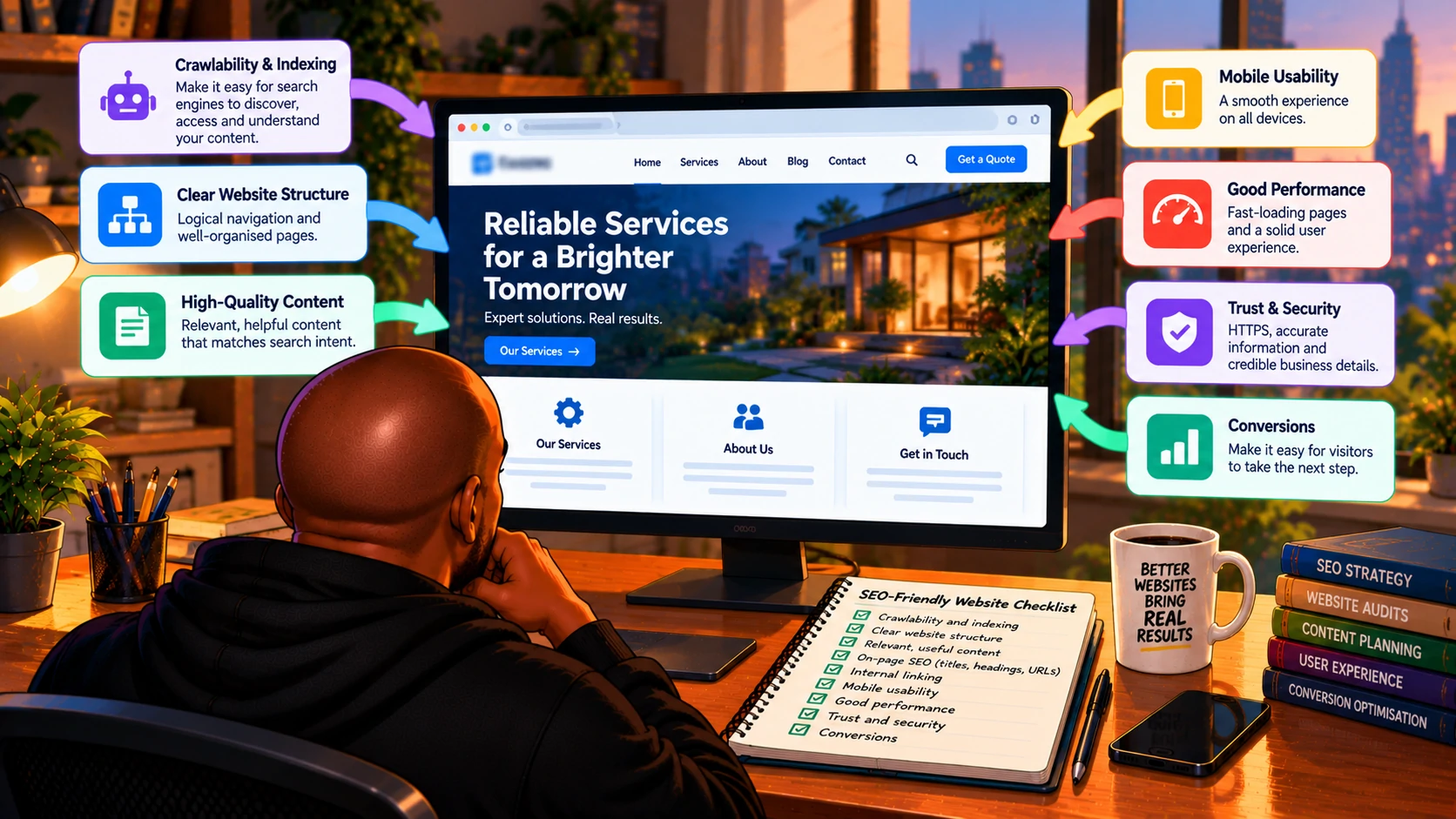
Here’s the framework I’d use when evaluating a website.
| Area | What I’d look for |
|---|---|
| Crawlability and indexing | Important pages are accessible and eligible for indexing. |
| Website structure | Services, categories and important pages are easy to find. |
| Content and search intent | Pages answer relevant questions and meet visitor needs. |
| On-page SEO | Titles, headings and URLs clearly describe the content. |
| Internal linking | Related pages connect naturally. |
| Mobile usability | Content and functionality work across devices |
| Performance | Pages load and respond reasonably well. |
| Trust and security | HTTPS, accurate information and credible business details |
| Conversions | Visitors can complete useful actions without unnecessary friction. |
I wouldn’t treat this as a ranking-factor checklist.
Some items affect search visibility directly. Others improve usability, understanding or business performance.
Together, they provide a practical foundation.
1. Make Sure Google Can Actually Access Your Website
This might sound obvious.
But I’ve seen enough technical SEO issues to know that accessibility shouldn’t be taken for granted.
Before worrying about keyword density or content length, I want to know whether Google can access the website’s important pages.
That means checking:
- Whether important URLs return successful HTTP responses.
- Whether
robots.txtblocks valuable content. - Whether pages accidentally contain
noindexdirectives. - Whether important content is available when Google renders the page.
- Whether redirects work correctly.
- Whether canonical tags point to appropriate URLs.
One distinction website owners should understand is that crawlability and indexability aren’t the same thing.
A page may be crawlable but intentionally excluded from Google’s index.
It may also be accessible while Google chooses not to index it.
And being indexed doesn’t guarantee rankings.
That’s why I use Google Search Console when investigating these issues.
If an important service page isn’t indexed, I want to understand why before recommending content changes.
Otherwise, we might spend hours optimising a page that has a more fundamental problem.
2. Build a Website Structure That Makes Sense
I think website architecture is one of the most underrated parts of SEO-friendly web design.
Imagine visiting a business website and struggling to find its services.
The homepage looks impressive.
Beautiful images.
Smooth animations.
But you can’t easily find what the company actually does.
That’s a problem.
A home services website, for example, might use a structure like this:
- Homepage
- Services
- Air Conditioning Installation
- Air Conditioning Repairs
- Air Conditioning Maintenance
- Areas Served
- About
- Contact
The exact structure depends on the business, but the principle remains consistent.
Important pages shouldn’t be unnecessarily buried.
Navigation should use clear labels, related pages should connect logically, and visitors shouldn’t need to guess where information is located.
Your Homepage Should Explain the Business Clearly
The homepage deserves particular attention because it’s often the first page people visit when searching for a brand.
It should quickly communicate:
- What the business does.
- Who it serves.
- Where it operates, if location matters.
- What makes it worth considering.
- Where visitors should go next.
I don’t think a homepage needs every detail about the business. That’s what supporting pages are for.
But visitors shouldn’t have to scroll through several sections before understanding the core offering.
I’ve written about what I look for when reviewing a homepage for SEO.
For me, clarity matters more than design elements that look impressive but don’t help people understand the business.
3. Create Pages Around Search Intent, Not Just Keywords
One of the biggest mistakes I see is treating keyword research as a list of phrases that must appear somewhere on a website.
Find a keyword.
Create a page.
Repeat the keyword.
Move on.
But that approach misses the bigger question.
What is the person searching for actually trying to accomplish?
Someone searching for “what is an air conditioner BTU” probably wants information.
Someone searching for “air conditioner installation Johannesburg” may be looking for a service provider.
Someone searching for “best air conditioner for a small bedroom” might be comparing products.
Those searches require different content.
An SEO-friendly website should have pages that match relevant user intent.
That doesn’t mean creating a separate page for every keyword variation.
Often, closely related keywords can be addressed effectively on one well-structured page.
I prefer mapping keywords to existing pages before recommending new content.
That helps reduce duplication and gives each URL a clear purpose.
4. Write Useful Content Instead of Chasing Word Counts
There’s something about SEO content that has always bothered me.
The obsession with word count.
People ask whether a page needs 500 words.
Or 1,000.
Or 2,000.
It’s as if Google has a universal word-count requirement.
It doesn’t.
A page should contain enough information to satisfy its purpose.
A contact page probably doesn’t need 2,000 words.
A detailed technical guide might require considerably more.
A service page should explain what the business offers, who it serves, any important considerations, and what the next steps are.
I’d rather publish a focused 700-word page that answers relevant questions than a 2,500-word article filled with repetition.
This is also why I care about finding original SEO content ideas.
If every website publishes the same generic information, there’s little reason for readers to remember yours.
Useful content should offer something worth reading.
Not simply look optimised.
5. Optimise Title Tags, Headings and URLs Naturally
I still consider on-page SEO important.
But we sometimes make it more complicated than necessary.
A good title tag should describe the page clearly.
An H1 should help visitors understand what they’re reading.
Headings should help organise information logically.
And URLs should be descriptive enough to make sense.
For example:
example.com/page?id=4837
Compared with:
example.com/air-conditioning-repairs/
Both can technically be crawled and indexed.
But the second is easier to understand.
The same principle applies to titles.
“Welcome to Our Website” doesn’t communicate much.
A descriptive title identifying the service and business is more useful.
However, I wouldn’t force the primary keyword into every heading.
And I wouldn’t rewrite established URLs simply because they lack an exact-match keyword.
Changing URLs introduces migration risks involving redirects, internal links and canonical tags.
Good on-page SEO should improve clarity, not make content sound unnatural.
6. Use Internal Links to Connect Related Content
Internal linking is one of my favourite SEO improvements, as it is often within the website owner’s control.
A useful internal link helps visitors discover related information, and search engines understand relationships between pages.
For example, an article about technical SEO might naturally link to a deeper explanation of SEO ranking factors.
A discussion about SEO investment might link to the advantages and disadvantages of SEO.
The link should contribute something useful.
I don’t believe in inserting five internal links simply because an SEO checklist says every article needs five.
And I don’t like generic anchor text such as “click here” when a descriptive phrase would help readers.
One thing I pay particular attention to on large websites is whether important pages receive enough relevant internal links.
A valuable service page can easily become isolated when navigation and supporting content don’t connect to it properly.
7. Make the Website Work Properly on Mobile
For many businesses, a significant share of visitors use mobile devices, which account for 59.6% to 60.0% of all global website traffic.
Their expectations are straightforward.
They want readable text.
Navigation that works.
Buttons they can tap.
Forms they can complete.
And contact details they can find without frustration.
Google primarily uses the mobile version of a website’s content for indexing.
That makes mobile content accessibility important.
But responsive design alone doesn’t guarantee a good experience or better rankings.
I’ve seen mobile pages where intrusive elements hide buttons, text is unnecessarily small, and forms are difficult to complete.
Those problems are worth fixing regardless of whether they produce a measurable ranking improvement.
8. Improve Website Speed Without Chasing 100/100
Page speed matters.
But improving performance isn’t the same as achieving a perfect PageSpeed Insights score.
Google’s Core Web Vitals focus on three aspects of user experience:
| Metric | What it measures | Good threshold |
|---|---|---|
| Largest Contentful Paint (LCP) | Loading performance | 2.5 seconds or less |
| Interaction to Next Paint (INP) | Responsiveness | 200 milliseconds or less |
| Cumulative Layout Shift (CLS) | Visual stability | 0.1 or less |
These are useful metrics.
But a perfect score doesn’t guarantee top rankings.
I’d focus on improvements that meaningfully benefit visitors:
- Compressing unnecessarily large images.
- Reducing excessive JavaScript.
- Improving caching.
- Avoiding unstable layouts.
- Reviewing slow third-party scripts.
- Making important content usable without unnecessary delays.
I’d also consider field data where available rather than relying entirely on one laboratory test.
For me, performance optimisation is about improving the website.
Not winning a scorecard competition.
9. Use HTTPS and Make the Website Trustworthy
Security isn’t something I’d treat as optional.
An SEO-friendly website should use HTTPS and avoid exposing visitors to unnecessary security risks.
But HTTPS alone doesn’t make a website trustworthy.
I’d also look at whether the business provides accurate contact information, explains its services honestly and makes important policies easy to locate
For an e-commerce website, that might include delivery information, payment methods, returns and refund policies.
For a service business, it might include qualifications, service areas and clear contact details.
For informational content, this could involve identifying the author, citing appropriate sources, and being transparent about expertise.
These aren’t all direct Google ranking factors.
But they help visitors evaluate a website and decide whether to trust the business behind it.
10. Add Structured Data Where It Makes Sense
Structured data can help search engines understand certain information on a website.
Supported schema types may describe products, organisations, articles and other eligible content.
But this is another area where SEO advice can become unnecessarily complicated.
Adding schema doesn’t guarantee higher rankings.
And not every schema type produces a rich result.
I wouldn’t add markup simply because a competitor uses it.
Instead, I’d identify relevant supported types, ensure the markup accurately represents the visible content and validate it using Google’s Rich Results Test where applicable.
I also wouldn’t use structured data to make misleading claims about reviews, authorship or business information.
Schema should clarify information.
Not manufacture credibility.
11. Don’t Forget Local SEO
This is particularly relevant for businesses with physical locations or defined service areas.
A national website might be technically excellent.
But customers searching for services in a particular city may need location-specific information.
That could include:
- Accurate business details.
- Relevant local service pages.
- Google Business Profile information.
- Genuine customer reviews.
- Clear contact details and areas served.
I’ve written about what managing SEO for multi-location brands has taught me about local search.
One important lesson is that location pages need more than a city name inserted into generic content.
They should genuinely help customers understand what’s available in their area.
And ranking in Google Maps shouldn’t be the only objective.
I’ve also discussed how to increase leads from local SEO, because visibility is most valuable when it contributes to business outcomes.
12. Make It Easy for Visitors to Take the Next Step
Here’s something I think gets overlooked in SEO-friendly website discussions.
What happens after someone lands on the page?
Imagine a website ranks well for a valuable service keyword.
The visitor arrives.
Reads the information.
Decides they’re interested.
But can’t find a contact button.
Or the enquiry form has fifteen unnecessary fields.
Or the phone number doesn’t work.
Or the page doesn’t explain how to book the service.
Technically, the website might have strong SEO foundations.
Commercially, it’s making life difficult for itself.
That’s why I like to connect SEO with conversion rate optimisation.
An important service page should make the next step clear.
That doesn’t mean covering every section with aggressive calls to action.
Sometimes the next step is a phone call.
Sometimes it’s a booking form.
Sometimes it’s a product purchase.
And sometimes it’s reading another useful page.
The appropriate action depends on the visitor’s intent.
13. Is Your Website Ready for AI Search?
With AI Overviews and other AI-powered search experiences, businesses increasingly want to know whether their websites need a completely different approach.
I don’t think the answer is to abandon traditional SEO.
Accessible pages, clear content, descriptive headings, accurate information and sensible website architecture remain valuable.
Google’s AI search experiences still depend on discovering and understanding web content.
But I wouldn’t promise that a particular heading format or schema type will guarantee AI citations.
I’ve written about how to appear in AI Overviews and why adapting to search changes matters more than chasing every new tactic.
I also think SEO in the age of AI requires us to consider how websites support discovery, trust and customer decisions beyond traditional rankings.
The foundations still matter.
What changes is how people discover and interact with information.
14. Use Free Tools to Evaluate Your Website
You don’t necessarily need expensive software to evaluate the basics.
I’d start with these tools:
| Tool | What I’d use it for |
|---|---|
| Google Search Console | Search performance, indexing and crawl-related insights |
| Google PageSpeed Insights | Performance and Core Web Vitals |
| Screaming Frog SEO Spider | Broken links, redirects, metadata and technical crawling |
| Google Rich Results Test | Testing supported structured data. |
| Google Analytics 4 | Website engagement and conversion measurement |
| Bing Webmaster Tools | Additional search performance and diagnostics |
I’ve discussed these options in my article about the best SEO tools for small businesses.
The important thing is knowing what each tool can and cannot tell you.
A crawler can identify missing title tags.
It can’t automatically determine whether a page satisfies its audience.
PageSpeed Insights can identify performance issues.
It can’t tell you whether your service offering is compelling.
Search Console can show which queries generate impressions.
It can’t tell you everything about why a customer chose your competitor.
Tools provide evidence.
We still need to interpret it.
My SEO-Friendly Website Checklist
If I were reviewing a website today, this is the checklist I’d use.
- Important pages are accessible to search engine crawlers.
- Valuable pages are indexable and use appropriate canonical URLs.
- Navigation makes important services and content easy to find.
- Each important page addresses a clear search intent.
- Titles, headings and URLs accurately describe the content.
- Service and product pages provide useful, original information.
- Related pages connect through relevant internal links.
- The mobile experience is usable and complete.
- Important pages load reasonably quickly.
- HTTPS is implemented correctly.
- Structured data is accurate where applicable.
- Business details and contact information are easy to find.
- Visitors have clear next steps.
- Google Search Console and analytics tracking are configured.
- Technical and content performance are reviewed regularly.
I wouldn’t expect every website to achieve perfection immediately.
The important thing is identifying which issues matter most.
How I’d Prioritise SEO Improvements on an Existing Website
If a business approached me with an existing website, I wouldn’t recommend rebuilding it simply because an SEO audit identified problems.
I’d first investigate what those problems mean.
My priorities would generally look like this:
| Priority | Area | Why I’d investigate it |
|---|---|---|
| High | Indexing and crawl access | Important pages may be unable to appear in search. |
| High | Search intent and content | Pages may not address customer needs. |
| High | Website structure | Important services may be difficult to discover. |
| High | Conversion barriers | Existing traffic may not generate enquiries. |
| Medium | Internal linking | Valuable pages may lack relevant connections. |
| Medium | Mobile usability and performance | Visitors may encounter unnecessary friction. |
| Medium | Metadata | Search listings may not communicate relevance clearly |
| As needed | Structured data | Supported enhancements may improve search presentation. |
This isn’t a universal order.
A website with serious performance problems might need urgent speed improvements.
An e-commerce website with thousands of duplicate URLs might require a more extensive technical investigation.
A small local business might benefit most from improving service pages and local information.
The right priorities depend on the website.
SEO audits should lead to decisions, not just long lists of warnings.
Frequently Asked Questions
What is an SEO-friendly website?
An SEO-friendly website allows search engines to discover, understand and index important content while providing visitors with relevant information, clear navigation and a usable experience.
How do I make my website SEO-friendly?
Start with crawlability and indexing. Then improve website structure, search intent, content quality, titles, headings, internal links, mobile usability and performance. Prioritise issues based on their impact on the website.
Does an SEO-friendly website guarantee higher Google rankings?
No. Strong SEO foundations support organic visibility, but rankings also depend on relevance, competition, content quality, link signals and other factors.
Is WordPress SEO-friendly?
WordPress can support SEO-friendly websites, but the platform doesn’t automatically optimise your content or technical configuration. Themes, plugins, website structure and ongoing maintenance still matter.
Do I need an SEO plugin to make my website SEO-friendly?
Not necessarily. SEO plugins can simplify tasks such as managing title tags, meta descriptions and XML sitemaps, but they don’t replace useful content or sound technical SEO.
How important is mobile-friendly design for SEO?
Mobile usability matters because Google primarily uses the mobile version of website content for indexing. Important content and functionality should remain accessible across devices.
Can an SEO-friendly website help generate more leads?
Yes. It can attract relevant visitors and make it easier for them to contact the business, book services or make purchases. However, traffic alone doesn’t guarantee conversions.
Final Thoughts: An SEO-Friendly Website Should Work for People, Not Just Google
After years of reviewing websites, I’ve become less interested in whether a website achieves a perfect SEO score.
I want to understand whether it works.
Can Google access the important pages?
Does the content answer relevant questions?
Can visitors find what they need?
Can people contact the business without unnecessary frustration?
And does the website contribute to meaningful business outcomes?
Those questions matter more to me than whether an SEO plugin displays a green light on every page.
Technical SEO remains important. I still care about crawlability, indexing, canonical tags, website architecture, internal linking and performance.
But those things shouldn’t exist separately from the visitor experience.
An attractive website that nobody can discover has a problem.
A technically optimised website that no one finds useful has a problem.
And a website that attracts traffic but makes it difficult for people to take action is missing an opportunity.
For me, an SEO-friendly website brings those elements together.
The goal isn’t to build a website that impresses an SEO audit tool. It’s to build one that deserves to be found and is worth visiting.
