
If you asked me to choose between Google Search Console and Google Analytics for my day-to-day SEO work, I’d choose Google Search Console.
Without much hesitation.
That might sound strange coming from someone who spends a lot of time reporting on website performance, conversions, traffic and business outcomes.
Google Analytics 4 (GA4) is incredibly useful. I wouldn’t want to manage a serious SEO strategy without understanding what happens after people arrive on a website.
But Google Search Console?
I think it’s one of the most underrated SEO tools available.
And the funny thing is, it’s “free”.
I’ve worked with different SEO platforms over the years. Some are excellent for keyword research, competitor analysis, technical audits and rank tracking. I’ve also seen businesses spend significant amounts of money on SEO software while barely scratching the surface of the information already available in Search Console.
That has always fascinated me.
We have access to data showing how people discover our websites through Google Search, which queries trigger impressions, which pages receive clicks, and where potential opportunities exist.
Yet GSC sometimes gets treated like the tool you open when something goes wrong with indexing.
So let’s talk about Google Search Console vs Google Analytics, what each tool actually does, why their numbers don’t always agree, and why I believe Search Console deserves far more attention than it receives.
What Is the Difference Between Google Search Console and Google Analytics?
The simplest way I explain the difference is this:
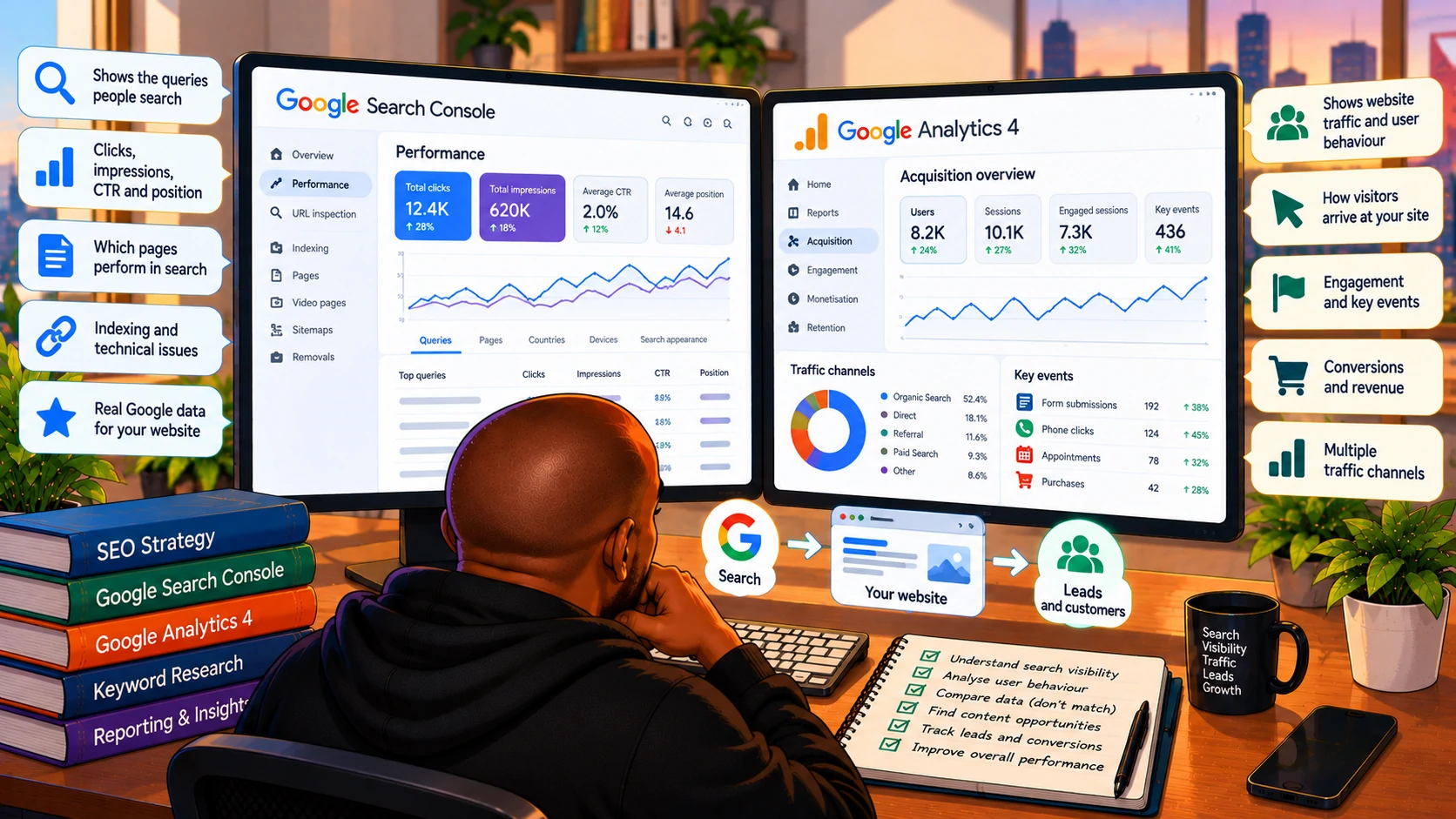
Google Search Console tells you how your website performs in Google Search. Google Analytics tells you what visitors do on your website and how they arrived there.
Search Console focuses on search visibility.
Google Analytics focuses on website traffic, user behaviour and business outcomes.
They overlap in some areas, but they answer different questions.
For example, imagine someone Googles for “home care services near me”.
Your website appears in the search results.
The person clicks your listing.
They land on your service page.
They read about your services.
Then they submit a contact form.
Search Console helps you understand the Google Search part of that journey.
With Google Analytics, you can gain insights into both the website visits and the recorded conversions.
That’s the distinction.
And it’s why I don’t think this should be a competition where one tool replaces the other.
Google Search Console vs Google Analytics: A Quick Comparison
| Feature | Google Search Console | Google Analytics 4 |
|---|---|---|
| Primary purpose | Google Search performance | Website and app analytics |
| Search queries | Yes, subject to reporting limits | Limited organic query visibility |
| Organic clicks | Yes | Reports sessions and users instead |
| Search impressions | Yes | Not standard GA4 reporting |
| Average organic position | Yes | No |
| Search CTR | Yes | Not standard GA4 reporting |
| Landing-page performance | Google Search clicks and impressions | Traffic, engagement and key events |
| User engagement | No conventional on-site engagement metrics | Yes |
| Form submissions | Not directly | Yes, with appropriate tracking |
| Revenue and purchases | No | Yes, with appropriate tracking |
| Indexing information | Yes | No |
| Technical search diagnostics | Yes | Limited |
| Multiple traffic channels | No | Yes |
| Cost | “Free” | Standard GA4 is “free” |
The important thing to remember is that the two platforms measure different parts of the journey.
And that difference becomes particularly important when reporting SEO performance.
Why I Think Google Search Console Is So Underrated
I could probably write an entire article about this point alone.
Search Console gives us something incredibly valuable.
Actual information about how Google Search connects people’s queries with our website.
Not simply a third-party estimate of how often people search a keyword.
Not only a ranking tracked from one location or device.
Not a competitor tool’s estimate of organic traffic.
Search Console provides Google’s own performance data for your verified website.
Of course, that data has limitations. Google doesn’t expose every query, and some reporting is aggregated or filtered for privacy.
But what we do get is extremely useful.
And I think SEOs sometimes overlook it because we’ve become accustomed to more visually impressive tools.
Let me explain what makes GSC so valuable to me.
1. Search Console Shows What People Actually Search For Before Finding Your Website
This is probably my favourite feature.
The Performance report shows queries that generated impressions and clicks for your website in Google Search.
That information can completely change how you approach keyword research.
Let’s say you’ve optimised a page for:
home care services
You open Search Console and discover that the page also appears for searches about:
- Home care services for elderly parents
- Help for seniors living alone
- In-home care after surgery
- Companion care for older adults
- How much does home care cost?
Suddenly, you have insight into the different questions and needs connected to that page.
Some queries might reveal missing information.
Others might suggest opportunities for dedicated service pages.
Some might show that Google is associating your content with topics you hadn’t originally considered.
That’s useful.
And it’s one reason I don’t believe keyword research should end once a page is published.
In many cases, the most interesting keyword opportunities appear after Google starts showing the page in search results.
I’ve written about how I find SEO blog ideas without writing the same posts as everyone else.
Search Console plays an important role in that thinking.
Instead of simply asking what keywords a tool suggests, I want to understand what people are already searching when Google considers my website relevant.
2. GSC Helps Me Find SEO Opportunities Without Starting From Scratch
One of the first things I look for in Search Console is pages receiving significant impressions but relatively few clicks.
Why?
Because the page already has some level of search visibility.
That doesn’t mean every low-CTR page needs fixing.
Sometimes the search intent isn’t relevant.
Sometimes the SERP contains features that reduce clicks.
Sometimes the query is informational, and the user gets their answer directly from Google.
But sometimes the opportunity is obvious.
A page might rank on the second page for a commercially important query.
Another might appear in the top five but have an unclear title.
Another might receive impressions for a service it barely explains.
These are opportunities worth investigating.
I often prefer this approach to immediately creating new content.
Before asking:
What new page should we publish?
I want to ask:
Which existing pages are already close to performing better?
That’s one reason Search Console is so useful for prioritisation.
It helps me focus on opportunities grounded in actual search performance rather than assumptions.
3. Search Console Makes SEO Investigations More Interesting
There’s something I genuinely enjoy about investigating performance changes.
A client says organic traffic has dropped.
Okay.
What actually happened?
Did clicks decline across the entire website?
Or only certain pages?
Did impressions fall too?
Did average positions change?
Was the decline concentrated in branded queries?
Was it limited to mobile searches?
Did a particular country lose visibility?
Did one important service page account for most of the decline?
Did the website lose visibility, or did search demand change?
These questions matter because different problems require different responses.
If rankings are stable but impressions decline, I wouldn’t immediately assume the website has an SEO problem.
Search demand could have changed.
If impressions remain stable but clicks decline, I’d investigate CTR, search features, ranking distribution and query mix.
If an important page loses impressions and rankings across its core keyword cluster, that tells a different story.
Search Console helps me narrow down the possibilities.
It doesn’t always tell me why something happened.
But it helps me ask much better questions.
And I think that’s what separates useful SEO analysis from simply reading numbers off a dashboard.
4. GSC Is More Than a Keyword Performance Tool
Sometimes people associate Search Console almost entirely with the Performance report.
But there’s much more to it.
The indexing reports can help identify pages that Google has discovered but hasn’t indexed.
URL Inspection can show information about a particular URL’s indexing status, selected canonical and crawl details.
Sitemaps help us understand whether Google can access submitted XML sitemaps.
The Links report provides information about internal and external links Google has identified.
Core Web Vitals reports highlight groups of URLs with performance issues based on available field data.
There are also reports for supported search enhancements and structured data.
This makes Search Console useful across several parts of technical SEO.
I wouldn’t replace Screaming Frog or a proper technical crawl with Search Console.
They do different things.
But GSC helps connect technical findings with Google’s own observations about the website.
And that context can be extremely valuable.
5. Search Console Helps Me Understand What Google Associates With a Page
Here’s something I think is deceptively simple to overlook.
A page might be targeting one keyword, but Google may show it for dozens or hundreds of related searches.
Looking at those queries can tell us how Google is interpreting the page’s relevance.
Sometimes that interpretation matches our intentions.
Sometimes it doesn’t.
Imagine a franchise investment page primarily attracting searches about general franchise definitions rather than investment costs or ownership requirements.
That suggests the page’s topical focus needs attention.
Or perhaps a service page receives impressions for a closely related service that deserves its own dedicated page.
I’m careful not to interpret every query as evidence of how Google’s algorithms work internally.
But query patterns can provide useful clues about how Google surfaces a page.
For me, that’s one of the strongest arguments for reviewing Search Console at the page level rather than only looking at website-wide performance.
So Where Does Google Analytics Fit In?
After everything I’ve said about Search Console, it might sound like I don’t appreciate Google Analytics.
That’s definitely not the case.
In fact, one of my biggest frustrations with SEO reporting is when people focus exclusively on Search Console and forget about what happens after the click.
Google Analytics answers questions GSC cannot.
What happens when visitors arrive?
Which landing pages attract engaged sessions?
Which traffic channels generate conversions?
How do users move through the website?
Which pages contribute to enquiries?
Are people completing forms?
Are they purchasing products?
Which campaigns are producing meaningful outcomes?
This is where GA4 becomes essential.
This is important because a website can perform brilliantly in Google Search but still produce disappointing business results.
6. GA4 Helps Connect Organic Traffic With Business Outcomes
Imagine a service page gains 40% more organic clicks.
That sounds good.
But what if enquiries don’t increase?
What if engagement declines?
What if most of the additional traffic comes from informational queries that have little commercial relevance?
That’s where Analytics becomes useful.
With properly configured events and key events, GA4 can help us understand how organic visitors interact with the site.
For example, we can investigate whether organic search sessions are contributing to successful form submissions, appointment bookings or purchases.
But there’s an important qualification.
GA4 only measures what has been implemented and collected correctly.
If form tracking is broken, the report may be misleading.
If a key event fires multiple times, conversion figures may be inflated.
If a thank-you page can be revisited without a genuine submission, page-view-based conversion tracking may overcount enquiries.
And if consent or tracking restrictions prevent data collection, some activity may not appear in the way we expect.
That’s why I don’t simply accept every conversion number in GA4 without understanding how it’s configured.
7. GA4 Helps Explain Why Traffic Growth Doesn’t Always Mean Business Growth
This is one of the most important lessons I’ve learned as my SEO responsibilities have grown.
A traffic increase isn’t necessarily a business improvement.
Imagine two landing pages.
Page A receives 5,000 organic sessions and generates 10 qualified leads.
Page B receives 800 organic sessions and generates 30 qualified leads.
Assuming those leads are comparable, Page B may be delivering substantially more business value.
Search Console helps me understand how those pages perform in Google Search.
Analytics helps me investigate what happens after visitors arrive.
And CRM data, where available, can help determine whether those enquiries become actual customers.
That’s why I don’t think SEO reporting should stop at either platform.
I’ve written about how to report SEO success when AI is changing the SERP.
My view is that we need to become much better at explaining the relationship between visibility, traffic, engagement and commercial outcomes.
Not simply produce a bigger spreadsheet.
Why Google Search Console and GA4 Numbers Don’t Match
This is probably one of the most common questions I encounter when comparing the two platforms.
Search Console says a page received 1,000 clicks.
Google Analytics reports 850 organic sessions.
Which tool is wrong?
Possibly neither.
They’re measuring different things.
Search Console measures clicks; GA4 measures sessions
A click in Search Console represents a click from a Google Search result, according to Google’s reporting definitions.
A session in GA4 represents a period of user interaction with your website or app.
Those aren’t interchangeable metrics.
A person might click a search result more than once.
A session may include multiple page views.
Different session and attribution rules can affect the numbers.
GA4 depends on data collection
Search Console can record a click even when the destination website’s Analytics implementation doesn’t successfully collect the corresponding visit.
For example, differences may arise due to browser restrictions, consent choices, tag implementation problems, or a visitor leaving before Analytics collects data.
Reporting dimensions and attribution also matter
Comparing all Google Search clicks with all organic sessions in GA4 isn’t necessarily an equivalent comparison.
Search Console’s Google Search data and GA4’s organic search channel reporting don’t have identical scopes.
Date boundaries, reporting time zones, filters and attribution settings can also contribute to differences.
So I don’t expect the numbers to match perfectly.
What I care about is whether we’re comparing the right metrics and interpreting them correctly.
Google explains these differences in its Search Console and Google Analytics documentation.
Which Tool Is Better for Keyword Research?
For understanding the queries that already bring your website visibility in Google Search, I’d choose Search Console.
Every time.
But I wouldn’t rely on it exclusively.
Search Console doesn’t provide a complete picture of the wider keyword market.
It won’t show every keyword opportunity your website has never appeared for.
It doesn’t provide the same competitor research capabilities as dedicated SEO platforms.
And it doesn’t expose every search query.
That’s where tools such as Semrush, Ahrefs and other keyword research platforms can complement the data.
I like using third-party tools to discover opportunities and understand competitive search landscapes.
Then I use Search Console to see what is actually happening with the website.
Those two perspectives work well together.
Which Tool Is Better for Technical SEO?
Google Search Console.
But with a qualification.
Search Console is particularly valuable for understanding how Google crawls, indexes and interprets important aspects of your website.
It can surface indexing issues, crawl information, canonicalisation details and supported enhancement problems.
However, it isn’t a complete technical audit platform.
It won’t replace a full crawl of the website.
It won’t necessarily identify every broken internal link, redirect chain, duplicate heading or architecture issue you need to investigate.
That’s why I use it alongside other tools.
Google Analytics isn’t designed for that kind of technical SEO diagnosis.
Its value is primarily in understanding website usage and performance after users arrive.
Which Tool Is Better for SEO Reporting?
Both.
And I think choosing only one can create a misleading picture.
Search Console tells us whether our visibility in Google Search is improving.
Analytics helps us understand whether the resulting website traffic is engaging and contributing to measurable outcomes.
For example, if I’m preparing an SEO performance report, I want to understand:
From Search Console: Are non-branded queries growing? Which pages gained visibility? Which keyword clusters declined? Are rankings improving for commercially relevant searches? Are impressions increasing without corresponding clicks?
From GA4: What happened to organic sessions? Which landing pages attracted engaged visitors? Are tracked enquiries increasing? Which services and locations contribute to conversions?
Then I want to connect those findings.
Not report them as two unrelated sets of numbers.
That’s where useful SEO reporting begins.
How I Use GSC and GA4 Together
My process usually starts with a question.
Not a dashboard.
Let’s say organic leads declined during September.
I’d approach the investigation in stages.
First, I’d check GA4.
Did recorded organic key events actually decline?
Was the decrease concentrated on particular landing pages?
Did organic sessions decline too?
Could there be a tracking problem?
Were there changes to forms, tags or thank-you pages?
Then I’d move into Search Console.
Did Google Search clicks decline for those same pages?
Were impressions and rankings affected?
Which queries changed?
Was the decline branded or non-branded?
Did a few important pages account for most of the change?
Finally, I’d connect the findings.
If GSC clicks are stable but GA4 sessions suddenly decline, I’d investigate tracking, consent, attribution and data collection before concluding that SEO visibility deteriorated.
If GSC clicks and GA4 sessions both decline, I’d investigate search demand, ranking shifts and the affected landing pages.
If traffic increases but qualified leads decline, I’d look more closely at search intent, conversion paths and lead quality.
This is also consistent with Google’s own recommendation to use Search Console and Analytics together to understand search discovery and on-site behaviour.
The important part is that I don’t treat the tools as competing sources of truth for the same metric.
They measure different things.
Can You Connect Google Search Console to GA4?
Yes.
You can link an eligible Search Console property with a GA4 web data stream and make Search Console reporting available in Analytics.
This can help you view search performance information alongside website analytics.
However, the integration doesn’t turn GA4 into a complete replacement for Search Console.
I still prefer using Search Console directly when investigating query-level performance or indexing issues.
And I still use GA4 directly for engagement, traffic acquisition and key-event analysis.
The integration is useful, but I wouldn’t expect it to solve every reporting or attribution problem.
Is Google Search Console Becoming More Important Because of AI Search?
I think so.
Not because GSC suddenly provides perfect AI visibility reporting.
It doesn’t.
But because understanding the relationship between impressions, clicks, queries and search behaviour is becoming more important.
AI Overviews and other search features can change how users interact with search results.
A page might continue appearing for relevant searches while receiving fewer clicks.
A query might trigger a generated answer that satisfies the user before they visit a website.
And the traditional average position alone may not explain the experience someone sees on the SERP.
This is why I’m paying more attention to query groups, page-level trends, branded versus non-branded visibility and CTR changes.
But I also want to be careful.
A CTR decline doesn’t automatically prove that AI Overviews caused it.
We need supporting evidence.
That’s something I’ve discussed in what I’m changing about my SEO strategy because of AI search.
As search changes, the ability to interpret data critically becomes more valuable than simply collecting more of it.
The Biggest Mistake Is Treating Either Tool Like an Answer Machine
This is probably the most important lesson I’d share with someone learning SEO.
Google Search Console doesn’t tell you exactly what to do.
Neither does Google Analytics.
They provide evidence.
You still need to investigate.
A drop in impressions doesn’t automatically mean you need more content.
A low CTR doesn’t automatically mean you need a new title.
A high engagement rate doesn’t necessarily mean the page is generating business value.
And a decline in tracked conversions doesn’t always mean fewer customers contacted the business.
The tools give us information.
Our job is to understand what that information means.
That’s why I’ve become increasingly interested in using Python to analyse SEO data.
I’ve written about why I’m learning Python as an SEO.
It’s not because I think automation can replace strategic thinking.
It’s because I want to spend less time manually moving numbers around and more time understanding the story behind them.
So, Which Is Better: Google Search Console or Google Analytics?
If you’re asking which is better for understanding Google Search visibility, my answer is Google Search Console.
If you’re asking which is better for understanding website behaviour, acquisition channels and tracked conversions, my answer is Google Analytics 4.
If you’re asking which is better for measuring the overall impact of SEO, you need both — and sometimes additional business data too.
But if you asked which tool I personally find more valuable for day-to-day SEO investigations?
I’m choosing Search Console.
Every time.
Not because GA4 is less important to the business.
But because GSC helps me understand the search opportunity itself.
It tells me what people are looking for.
Where the website appears.
Which pages Google is surfacing.
Where visibility is growing.
Where clicks are being lost.
And where there might be an opportunity hiding in plain sight.
Final Thoughts: GSC Is Still the Most Underrated SEO Tool
I think the SEO industry has become very good at collecting tools.
Keyword research tools.
Rank trackers.
Site crawlers.
Competitor intelligence platforms.
AI visibility tools.
Reporting dashboards.
Some of them are genuinely excellent.
I use several myself.
But sometimes I wonder whether we’ve become so focused on the next tool that we forget how much we can learn from the data already available to us.
Google Search Console isn’t perfect.
Its data has limitations.
It doesn’t show every query.
It doesn’t tell us what visitors do after arriving.
And it can’t replace a comprehensive SEO platform or analytics implementation.
But it gives us direct insight into how our websites perform in Google Search.
For free.
That’s remarkable when you think about it.
So my view on Google Search Console vs Google Analytics is fairly simple.
I would rather not choose between them when evaluating the success of an SEO strategy.
I need Search Console to understand discovery.
I need Analytics to understand what happens next.
And I need business data to understand whether any of it is producing meaningful results.
But if I’m sitting down with a cup of coffee, trying to understand why a website is gaining or losing organic visibility, I know which tool I’m opening first.
Google Search Console.
And I still think we’re not giving it enough credit.
