
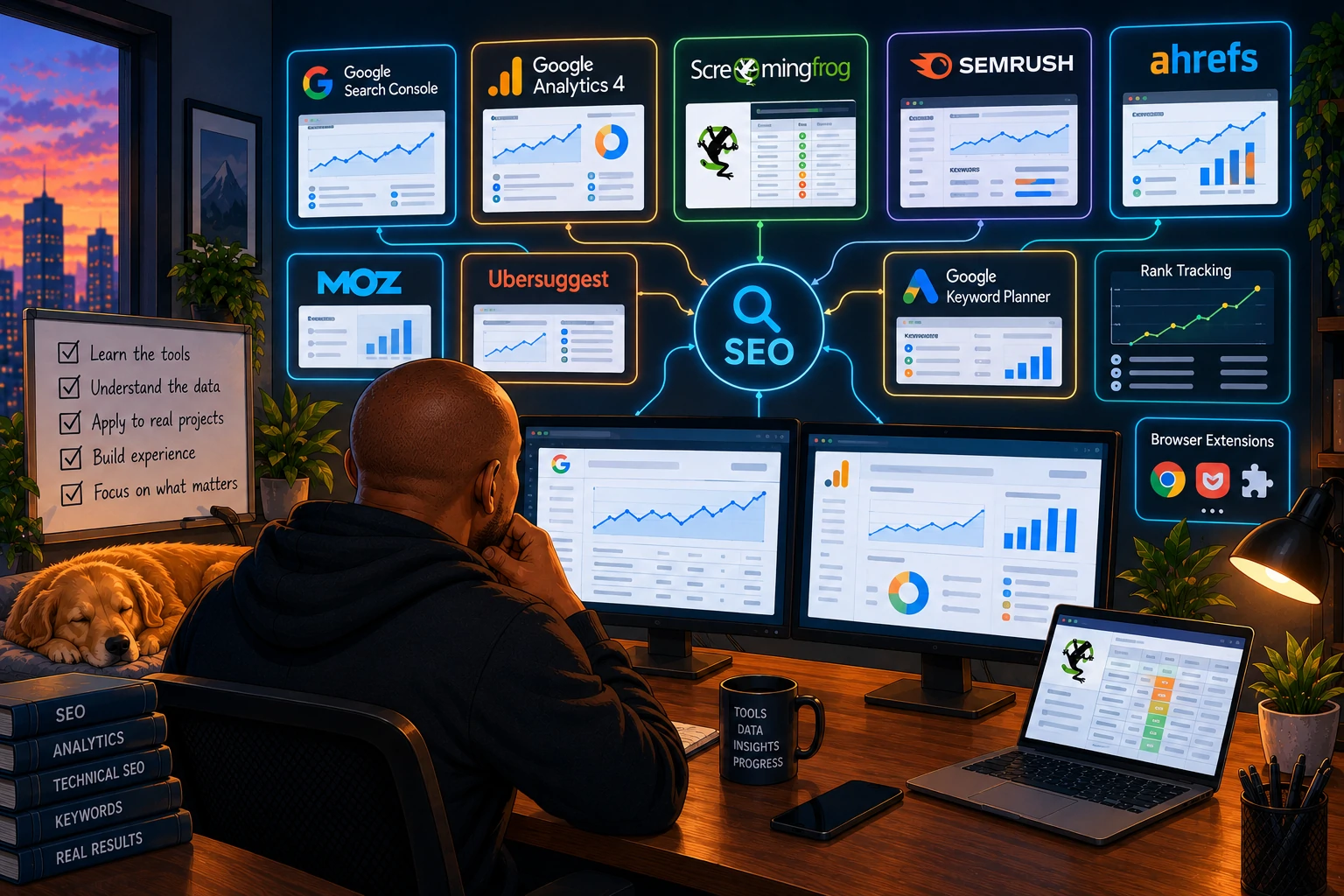
When I started learning SEO, the number of tools made the industry look far more complicated than it needed to be.
Google Search Console.
Google Analytics.
Screaming Frog.
Semrush.
Ahrefs.
Moz.
Ubersuggest.
Keyword planners.
Rank trackers.
Technical auditing platforms.
Reporting tools.
Chrome extensions.
Then you look at an SEO job description, and somehow they want experience with six of them.
If you’re trying to get your first SEO job, it’s easy to think:
“Do I need to learn all of these before I can apply?”
No.
You really don’t.
I’ve used a lot of SEO tools throughout my career, and one thing has become increasingly obvious to me:
Knowing how to use an SEO tool isn’t the same as knowing SEO.
The tool gives you information.
Your job is understanding what that information means.
And if I were starting my SEO career again today, that’s exactly how I’d approach learning the tools.
Start With Google Search Console
If you’re going to learn one SEO platform first, I’d probably make it Google Search Console.
Not because it’s the most advanced SEO tool.
Because the data comes from Google.
Search Console starts teaching you how a website actually performs in Google Search.
You can see things like:
Clicks.
Impressions.
CTR.
Average position.
Queries.
Pages.
Countries.
Devices.
Indexing information.
Crawl-related information.
And plenty more.
But as a beginner, don’t try to learn every report immediately.
Start with a simple question:
How are people finding my website through Google?
Go into the Performance report.
Look at the queries.
Which searches generate the most impressions?
Which generate clicks?
Which pages receive the most organic traffic?
Are there queries where you’re getting lots of impressions but very few clicks?
Then start asking why.
That’s SEO.
The tool is simply giving you the evidence.
This Is Why I Think Beginners Should Have a Website
There’s a problem with learning Search Console if you don’t have anything to analyse.
You can watch tutorials.
That’s useful.
But watching someone else click through Search Console isn’t the same as opening it and seeing:
3 clicks.
Those three clicks suddenly become fascinating when they’re yours.
Where did they come from?
What did the person search?
Which page appeared?
What position was it in?
Why did Google show your page?
Now you’re investigating.
That’s why I keep recommending that people trying to get into SEO create something.
A WordPress website.
A personal blog.
A small project.
It doesn’t need thousands of visitors.
It doesn’t even need to be particularly successful.
You need somewhere to practise.
Connect it to Search Console.
Submit your sitemap.
Publish something.
Wait.
Watch what Google does.
You will learn things from those first 100 impressions that are difficult to learn from a PowerPoint presentation.
Learn GA4, but Don’t Try to Memorise It
Then I’d spend some time with Google Analytics 4.
Search Console helps answer questions about what happens in Google Search.
GA4 helps you understand what happens when people reach the website.
Where did visitors come from?
Which pages did they visit?
Did they engage?
Did they complete important actions?
Did they convert?
As an SEO, this becomes important because rankings aren’t the end goal.
Imagine two pages.
Page A generates 5,000 organic visits and zero leads.
Page B generates 500 organic visits and 30 leads.
Which page is more valuable?
You can’t answer every SEO question by looking at rankings.
That’s why analytics matters.
But again, if you’re a beginner, don’t put pressure on yourself to know every GA4 report.
I still have to investigate things in analytics platforms.
Learn the concepts first.
Users.
Sessions.
Traffic sources.
Landing pages.
Events.
Conversions or key events.
Understand what you’re measuring and why.
You can learn where the button is when you need it.
Screaming Frog Will Make Technical SEO Less Abstract
Screaming Frog was one of those tools that made more sense to me once I understood what it was actually doing.
It’s crawling a website.
That’s important.
Because SEOs talk about “crawling” constantly.
Google crawls websites.
Crawlability.
Crawl errors.
Crawl budget.
But what does crawling a website actually look like?
Run a website through Screaming Frog and suddenly you’re looking at URLs.
Status codes.
Titles.
Meta descriptions.
H1s.
Canonicals.
Internal links.
Redirects.
Images.
Directives.
And other information collected as the crawler moves through the site.
Now technical SEO becomes less theoretical.
You can find a 404.
Open the URL.
See that it’s broken.
Find which pages link to it.
Fix the links.
Crawl again.
Problem gone.
That’s a much better way to learn technical SEO than memorising:
“404 = Not Found.”
Don’t Make the Screaming Frog Mistake I See Beginners Make
You crawl a website.
Screaming Frog gives you thousands of issues.
You export everything.
You now have an SEO audit.
Not quite.
The crawler found things.
You still need to decide whether they matter.
A title being longer than a particular number of characters isn’t automatically a serious SEO problem.
A page with a low word count isn’t automatically thin content.
A 301 redirect isn’t automatically bad.
A URL with no organic traffic isn’t automatically useless.
This is one of the most important habits you can develop early in your SEO career.
Don’t just ask:
“What did the tool flag?”
Ask:
“Why does this matter?”
Then:
“How much does it matter?”
That’s the beginning of prioritisation.
Semrush, Ahrefs and Ubersuggest: You Don’t Need All of Them
This is another place where beginners can waste money.
You’ll hear one SEO say Ahrefs is essential.
Someone else uses Semrush.
Another recommends Ubersuggest.
Then you think you need subscriptions to everything before you can become an SEO.
You don’t.
These platforms overlap in many areas.
They can help you investigate things such as:
keyword ideas;
search volumes;
competitor rankings;
backlinks;
keyword gaps;
ranking movements;
content opportunities;
and website visibility.
There are differences between the platforms, of course.
But as a beginner, I care more about whether you understand keyword research than whether you performed it in Semrush or Ahrefs.
If I give you a keyword tool, can you use the data to make a sensible decision?
That’s what matters.
Don’t Just Export Keywords
This is another beginner trap.
Search:
“SEO tools”
Export 10,000 keywords.
Sort by search volume.
Choose the biggest ones.
Done.
That’s not keyword research.
The keyword tool gives you possibilities.
You need to understand the person behind the search.
What are they actually trying to find?
Is the intent informational?
Commercial?
Transactional?
Local?
Does the website have a realistic reason to rank for it?
What does Google currently show?
Would ranking for the keyword actually help the business?
Could several similar keywords be targeting the same intent?
This is why I wouldn’t obsess over which keyword research platform you’re using when you’re starting out.
Learn how to think about keywords before worrying about having the perfect keyword tool.
Google Itself Is an SEO Tool
This sounds almost too obvious.
But use Google.
Actually study the search results.
If you’re researching a keyword, search it.
What ranks?
Blogs?
Service pages?
Product pages?
Reddit?
YouTube?
Local results?
Google Business Profiles?
AI-generated answers?
News?
Images?
What does that tell you about the intent?
Look at autocomplete.
Look at related searches.
Look at People Also Ask.
Search variations of the query.
Change the location where appropriate.
One of the most valuable SEO skills you can develop is learning how to look at a SERP and ask:
“Why is Google showing me this?”
No paid SEO subscription can replace that habit.
If You Want to Learn Local SEO, Learn Google Business Profile
This one is particularly important to me because I’ve spent a lot of my career working with local and multi-location SEO.
Google Business Profile isn’t just something I’d learn after you’ve mastered “normal SEO.”
For local businesses, it can be one of the most important parts of the search experience.
Learn how profiles work.
Understand:
Business categories.
Addresses.
Service areas.
Opening hours.
Reviews.
Photos.
Services.
Posts.
Business information.
Then start paying attention to what happens in local search.
Search:
“dentist near me.”
“car repair near me.”
“home care near me.”
Why are those businesses appearing?
What information do their profiles contain?
How many reviews do they have?
What are people saying in those reviews?
How complete are the profiles?
How good are the location pages connected to them?
This is where you start understanding that local SEO isn’t just putting a city name into a title tag.
Google Sheets or Excel Might Be Your Most Used SEO Tool
This isn’t particularly exciting, but it’s true.
Learn spreadsheets.
You don’t need to become an Excel wizard before applying for an SEO job.
But get comfortable with data.
Sorting.
Filtering.
Removing duplicates.
Basic formulas.
Conditional formatting.
Lookups.
Pivot tables.
Combining datasets.
SEO produces ridiculous amounts of CSV files.
Keyword exports.
Crawl exports.
Search Console exports.
Analytics exports.
Backlink exports.
Rankings.
Eventually, someone is going to give you two files and ask:
“Can you tell me what’s happening here?”
Being comfortable manipulating data will make your life much easier.
It’s also one of the reasons I’m currently learning Python.
The more SEO data I’ve worked with, particularly across larger and multi-location websites, the more interested I’ve become in automating some of that analysis.
But I wouldn’t tell a beginner to start with Python.
Start with spreadsheets.
Python can come later if you’re curious.
Looker Studio (Data Studio) Can Come After You Understand the Data
Eventually, you’ll probably need to report SEO performance.
That’s where something like Looker Studio can become useful.
You can build dashboards connecting different sources and present SEO performance in a much easier way.
But there’s something important here.
A beautiful dashboard doesn’t automatically make a good SEO report.
You can have twelve charts showing:
Clicks.
Impressions.
Users.
Sessions.
Rankings.
Conversions.
And still tell the client absolutely nothing useful.
Reporting isn’t:
“Traffic increased 12%.”
It’s:
“Traffic increased 12%. Here’s where the growth came from, here’s what appears to have caused it, and here’s what I think we should do next.”
The dashboard presents the data.
You provide the interpretation.
PageSpeed Insights Is Worth Understanding
At some point, you’ll encounter website performance and Core Web Vitals.
PageSpeed Insights is a useful place to start exploring this.
But this is another area where beginners can become obsessed with scores.
A website gets 72.
Panic.
Another gets 96.
Perfect SEO!
Not exactly.
Use the tool to understand performance.
Learn about things like Largest Contentful Paint, Interaction to Next Paint and Cumulative Layout Shift.
Learn the difference between lab and field data.
Understand what might be slowing a page down.
Then think about the user.
SEO tools should help you understand websites.
They shouldn’t turn SEO into chasing arbitrary scores.
Chrome DevTools Is Something I’d Start Exploring Early
You don’t need to become a developer.
I’m not one either.
But if you’re serious about technical SEO, getting comfortable inspecting websites will help.
Right-click a page.
Inspect.
Look at the HTML.
Find the title.
Find the canonical.
Look at headings.
Explore network requests.
Look at JavaScript.
See what’s actually happening when the browser loads a page.
At first, Chrome DevTools looks like someone has opened the Matrix.
That’s okay.
You don’t need to understand everything.
Just become comfortable being there.
Technical confidence builds slowly.
What About AI Tools?
If I were starting SEO now, AI would absolutely be part of my toolkit.
ChatGPT and other AI tools can be incredibly useful for learning.
Ask it to explain a canonical tag.
Give it a piece of code you don’t understand.
Ask it to help organise keyword data.
Brainstorm ways to investigate a traffic decline.
Ask it to explain a Screaming Frog export.
Use it to help write a formula.
There are countless applications.
But I would be very careful about using AI to skip the learning part.
If you ask AI to:
“Do keyword research for this website.”
and then copy the answer into a document without understanding it, you haven’t learned keyword research.
The same applies to technical audits.
Content.
Schema.
Reporting.
Strategy.
Code.
AI should make you a faster learner, not a more confident copy-and-paster.
Free Tools Are Enough to Start
This is important for students and people trying to break into SEO.
You don’t need hundreds of dollars every month for software.
You can learn an enormous amount using free tools and free versions of tools.
Start with:
Google Search Console, GA4, Google Business Profile, Google Search, PageSpeed Insights, Chrome DevTools, spreadsheets and the free version of Screaming Frog for smaller crawls.
Then use free trials, limited accounts, educational resources and affordable tools where appropriate.
If you eventually join an agency or in-house SEO team, they’ll probably already have subscriptions to the professional platforms they expect you to use.
Don’t financially punish yourself because a job description lists Ahrefs.
What I’d Learn First If I Were Starting SEO Today
If I had to start again, I wouldn’t try to learn twenty platforms simultaneously.
I’d probably go in roughly this order:
- Google Search: learn to study SERPs and understand intent.
- Google Search Console: learn how websites perform in organic search.
- GA4: understand what happens after someone reaches the website.
- WordPress or another CMS: learn how to actually change a website.
- Screaming Frog: start understanding crawling and technical SEO.
- Google Sheets or Excel: become comfortable analysing data.
- One keyword/competitor platform: Semrush, Ahrefs, Ubersuggest or whichever you can access.
- Google Business Profile: especially if you’re interested in local SEO.
- PageSpeed Insights and Chrome DevTools: gradually build technical understanding.
- Looker Studio (they call it Data Studio these days, again lol) — learn how to communicate performance.
Then I’d layer in AI throughout the process.
That’s already more than enough to keep a beginner busy.
Don’t Put Every Tool You’ve Opened Once on Your CV
Please.
We’ve all seen the CV:
Skills: GA4 | GSC | Ahrefs | Semrush | Screaming Frog | Moz | Majestic | Shopify | WordPress | Magento | Looker Studio | GTM…
Then an interviewer asks:
“What do you normally use Search Console for?”
Silence.
It’s okay to be a beginner.
If you’ve only used Screaming Frog on your personal website, say that.
Then explain what you did with it.
That’s much more convincing.
For example:
“I crawled my website with Screaming Frog, found broken internal links and some missing metadata, fixed them and crawled the site again to confirm the changes.”
That’s evidence.
You don’t need to call yourself an advanced Screaming Frog user.
Learn Problems, Not Platforms
This is probably the biggest thing I would tell someone starting SEO.
Tools will change.
New ones will appear.
AI will automate parts of existing ones.
Companies will use different platforms.
One agency uses Semrush.
Another uses Ahrefs.
Another has an enterprise SEO platform you’ve never seen before.
That’s fine.
If you understand the underlying problem, you can learn the software.
You need to understand:
How do I research what people search for?
How do I understand search intent?
How do I know whether Google can access a page?
How do I identify technical problems?
How do I measure organic performance?
How do I understand what competitors are doing?
How do I measure whether SEO is helping the business?
How do I prioritise what needs fixing?
The tools help you answer those questions.
They aren’t the questions themselves.
You Don’t Need to Know Everything Before Your First SEO Job
This connects to something I wish more entry-level candidates understood.
A job description might list five platforms.
You’ve used two.
Apply.
Maybe they use Shopify and you’ve only worked in WordPress.
Apply.
Maybe you’ve never touched Ahrefs but you’ve used Semrush.
Apply.
You can learn another interface.
Someone once took a chance on me when I didn’t have every year of experience or know every platform the role involved. I was given resources to learn what I didn’t know, and regular one-on-one guidance helped me improve.
That experience has stayed with me.
There’s an enormous difference between:
“I don’t know this yet.”
and:
“I’m incapable of learning this.”
Good employers understand that.
You should too.
The Best SEO Tool Is Still Curiosity
I know that sounds slightly cheesy.
But after years of working in SEO, I believe it.
A tool tells you traffic fell.
Curiosity asks why.
A crawler tells you 500 URLs redirect.
Curiosity asks whether that’s actually a problem.
Search Console tells you impressions increased while clicks declined.
Curiosity asks what changed in the SERP.
A keyword tool gives you 20,000 keywords.
Curiosity asks which ones actually matter to the business.
AI gives you an answer.
Curiosity asks whether the answer is correct.
That’s the skill I would focus on developing.
Learn Search Console.
Learn analytics.
Learn a crawler.
Learn a keyword tool.
Learn spreadsheets.
Explore AI.
But don’t measure your progress by how many logos you can put under the “Tools” section of your CV.
Measure it by something much simpler:
Can I use these tools to find a problem, understand what’s happening and recommend what we should do next?
If you can start doing that, you’re not just learning SEO tools anymore.
You’re learning SEO.
